
Play88 Mobile App vs Browser: Which Is Better for Malaysian Players?
- Last Updated: October 13, 2026
- Written by Play88 Editorial Team
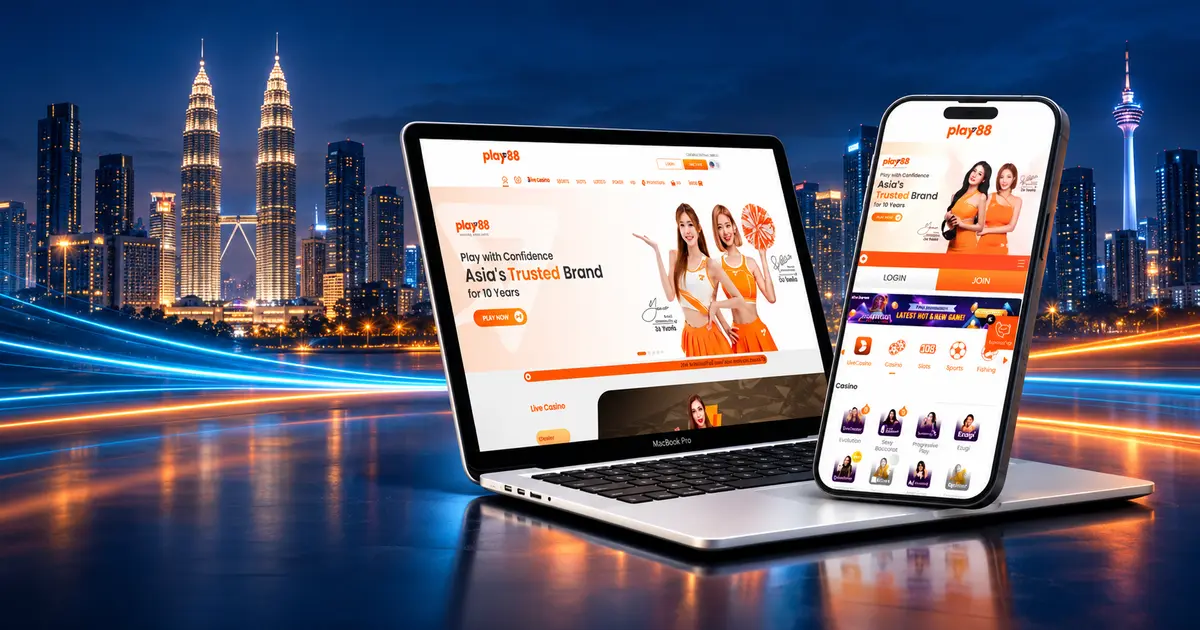
Using Play88 on a phone does not automatically mean installing an app. Malaysian players can choose between the Play88 mobile app and the mobile version of the official website, and each option has a different practical advantage.
The app may suit someone who uses the platform regularly and wants a dedicated shortcut. The browser is often simpler for occasional access because there is nothing extra to install. Neither option is universally better, and neither should be chosen because it appears to offer better winning chances.
This guide compares access, updates, storage, security and day-to-day use. It also explains how to avoid unofficial download links and what to check before signing in on a mobile device.
Choose the app if you want a dedicated Play88 icon and expect to return regularly. Choose the browser if you prefer immediate access without installing another file or using additional device storage.
| Area | Play88 app | Mobile browser |
|---|---|---|
| Getting started | Requires a download and installation process | Open the official website in a supported browser |
| Device storage | Uses storage for the app and its data | Uses browser cache but normally avoids a separate installation |
| Updates | May require an app update when a new version is released | Website changes are usually available when the page reloads |
| Access | Dedicated icon on the home screen | Access through a bookmark or saved shortcut |
| Best fit | Regular users who prefer a dedicated interface | Occasional users or devices with limited storage |
The comparison is about convenience, not payouts. If the same game version and configuration are loaded, opening it through an app instead of a browser does not create a mathematical advantage.
The official Play88 Malaysia website currently displays separate QR download options for Android and iOS. The website also provides mobile access to the main Play88 sections, including online slots, live casino games and the sportsbook.
Availability can still depend on the device, operating system, provider and region. A game or feature that appears on one phone may not load in exactly the same way on another. Check the live platform rather than relying on an old screenshot or a third-party download page.
The safest starting point is the official website. Do not search for a random APK, installation profile or mirror file simply because it appears near the top of a search page or arrives through a message.
The mobile app is mainly a convenience choice. It may be the better fit in the following situations:
Do not assume that an app must be faster. Performance depends on the phone, connection, software version and the game provider. A well-maintained browser may perform better than an outdated app, while the opposite can also be true.
Browser access removes the installation step. It may be more practical when:
A bookmark or home-screen shortcut can make browser access nearly as direct as opening an app. The important part is saving the correct Play88 URL, not a copied address from an advertisement, message or unofficial page.
Use a simple verification process before downloading:
Do not disable built-in device protection simply to force an installation. Google explains that Google Play Protect checks apps from Google Play and other sources for harmful behaviour. Apple also recommends keeping iOS updated so the device receives current security fixes.
A convincing logo does not prove that an app or page is official. Fake download pages can copy brand colours, screenshots and button labels. Check the details that are harder to imitate consistently.
| Check | What to do |
|---|---|
| Website address | Open Play88 from a saved official link and inspect the domain before signing in |
| Download source | Use the Android or iOS route displayed on the official website |
| Permissions | Question requests that do not make sense for the app’s function |
| Device protection | Keep the operating system, browser and security scanning features updated |
| Account details | Never send a password, one-time code or recovery information through chat or social media |
| Payment instructions | Confirm the details inside the official cashier before transferring funds |
Avoid signing in through links sent by strangers. If a page creates urgency by claiming that the account will be closed immediately, do not rush. Open the saved official website separately and check the account there.
The access method does not itself determine a slot result. RTP, volatility, paytables and feature rules belong to the game version supplied by the provider. If the app and browser load the same version with the same configuration, the published rules should be the same.
However, do not assume every version is identical. A provider can offer different RTP settings, stake ranges or features across markets and platforms. Open the information panel inside the exact game you are using and check:
If these terms are unfamiliar, read the Play88 beginner’s guide to online slots before choosing a game.
Live casino performance depends heavily on the connection because the table is streamed in real time. A dedicated app cannot repair an unstable mobile network, and a browser is not automatically slower.
Before joining a table, check the video quality, betting window and table limits. If the stream begins to freeze or the connection changes between Wi-Fi and mobile data, avoid placing a rushed bet. Reopen the table only after the connection is stable and confirm whether the previous selection was accepted.
Players who are new to streamed tables can review the Play88 guide to live casino games and the separate guide to live casino etiquette.
For sportsbook use, clarity matters more than the icon used to open the platform. Check the event, market, selection, accepted odds, stake and potential return before confirming a bet.
Live odds can move quickly on both the app and mobile website. A price shown when a selection is added may change before confirmation. Always read the final bet slip rather than assuming that an earlier number is still available.
The Play88 football betting Malaysia guide explains match odds, Asian handicaps, totals and the checks to make before confirming a football selection.
Use the cashier inside the official Play88 account. Payment availability, limits, processing and verification requirements can change, so the current cashier information should take priority over an older article or screenshot.
Before confirming a transaction:
For one supported payment route, see how Touch ‘n Go works with Play88. Recheck the live cashier before acting because payment limits and routes can be updated.
There is no reliable rule that the app always uses less data or the browser always saves more battery. Usage changes with video quality, animations, background activity, game type and connection strength.
Live dealer streams generally demand more data than a simple slot interface. Extended sessions can also warm the device and drain the battery. Reduce video quality where available, close unused apps or tabs, and avoid playing when the device is overheating or the connection is unstable.
Clearing a browser’s site data may sign you out. Reinstalling or updating an app can also require another login. Make sure account recovery details are current before changing either setup.
Mobile access makes it easy to open a game quickly, but convenience can also make time and spending harder to notice. Decide the session limit before opening the app or website, not after losses occur.
Mobile access does not remove the risk of loss. No app, browser setting, betting pattern or game history can guarantee a profit.
The official Play88 website currently shows separate Android and iOS QR download options. Availability and installation steps may vary by device and region, so use the live official page rather than an old third-party guide.
No. The mobile website is an alternative for users who do not want another installation. The better choice depends on the device, storage and how often the platform is used.
Not in every case. The app provides a dedicated shortcut, while the browser avoids a separate installation. Performance depends on the device, software version, connection and the content being loaded.
No. Using an app instead of a browser does not make wins more likely. Check the RTP, volatility and paytable inside the exact game version.
Start from the official Play88 website and use the Android or iOS QR route displayed there. Inspect the destination and installation prompts, and stop if the domain, file or requested permission looks unfamiliar.
Do not repeat a payment or bet immediately. Check the connection, reopen the official platform and confirm the account or bet history first. Save relevant reference numbers and contact the published support channel if a transaction or selection is unclear.
The Play88 app is useful for regular access, while the mobile browser is simpler when storage or installation is a concern. The correct choice is the one that works reliably on the device and can be reached through a verified official route.
Do not choose an app because someone claims it pays more, unlocks special results or guarantees faster wins. Compare the practical differences, check the rules inside each game and keep the same spending limits whichever access method you use.
